PostScript to SVG,
in the browser
Ghostscript is the PostScript and PDF interpreter behind a great many printers, PDF tools and TeX installations. This is the current release, 10.08.0, compiled to WebAssembly: the whole interpreter and its standard fonts, running in a browser tab or in Node, with nothing to install and nothing sent to a server.
It also adds something Ghostscript hasn't had since 2014: SVG output. A new svg device turns PostScript, EPS and PDF into clean, standalone SVG — real vector paths, text you can select and search, native gradients and native transparency — and falls back to an embedded image only for the rare things SVG cannot express. It works here in the browser and, with a small patch, in native Ghostscript too.
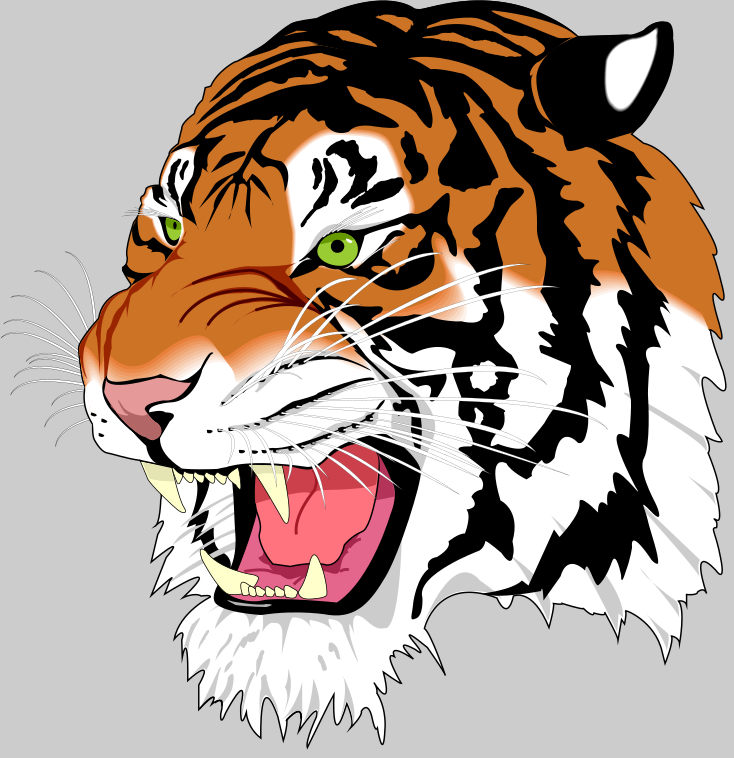
tiger.eps, converted by the svg device in about a tenth of a second: 305 vector paths, every stroke with its original width, caps and joins, in 76 KB. Open it and zoom in as far as you like.Try it
The live demo runs Ghostscript in a Web Worker in your browser. Nothing is uploaded.
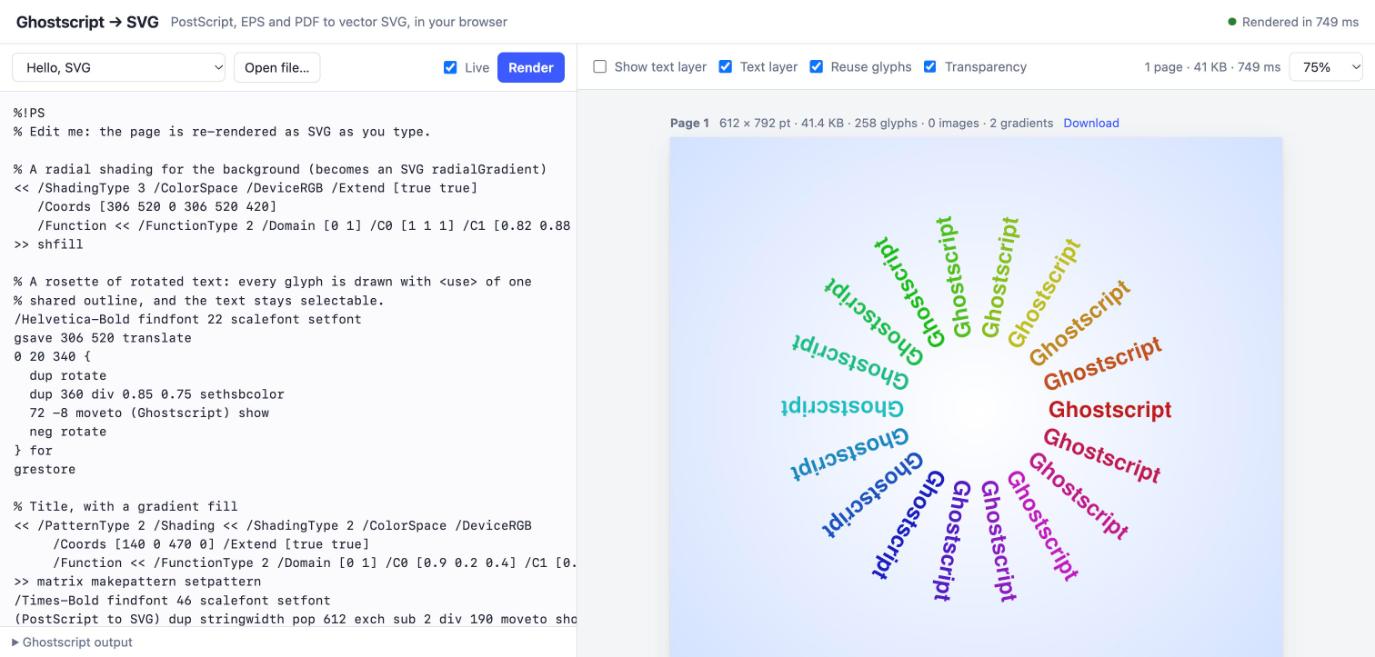
Write PostScript on the left and the SVG on the right redraws as you type, or open a sample or one of your own files:
- Edit the sample. Change a colour, a font size or a rotation and the page re-renders in about half a second.
- Open or drop a file. PostScript, EPS and PDF all work, multi-page documents included: each page becomes its own SVG.
- Select some text. Drag across a heading, or use your browser's find. The glyphs are vector outlines, but an invisible text layer sits over them, in the right places.
- Tick Show text layer to see that layer, and how well it lines up.
- Untick Transparency on the transparency sample and watch the page become one flat image — what Ghostscript's own compositor would produce. Tick it again for the native SVG version.
- Download any page as a standalone
.svgfile.
The SVG device
Ghostscript once had an SVG device. It was experimental, it broke, and it was removed in 2014.
The old svgwrite device produced invalid XML by 2013, and Artifex's engineers estimated three months of work to make it production-quality. Rather than do that, they declared it deprecated, pointed people at MuPDF for SVG, and removed it in March 2014. The usual route since has been two programs: Ghostscript to make a PDF, then something else to turn the PDF into SVG.
The new svg device is one file, devices/vector/gdevsvg.c, of about 3,300 lines. It sits on the graphics library's high-level device interface, the one pdfwrite uses, so it sees paths, text, images and shadings as what they are, rather than as pixels.
Exact vector paths
Fills, strokes with their dashes, caps, joins and miter limits, and non-uniform pens. Clipping is written from the original clip paths, so it is never rounded to pixels.
Text that is text
Each glyph outline — Type 1, CFF, TrueType, CID — is defined once and drawn with <use>. An invisible Unicode text layer makes it selectable, copyable and searchable, OCR layers included.
Images at their own resolution
Every colour space, Decode array and mask type, decoded by Ghostscript itself and embedded as PNG at the image's own resolution. Enlarged pixel art stays crisp.
Native gradients
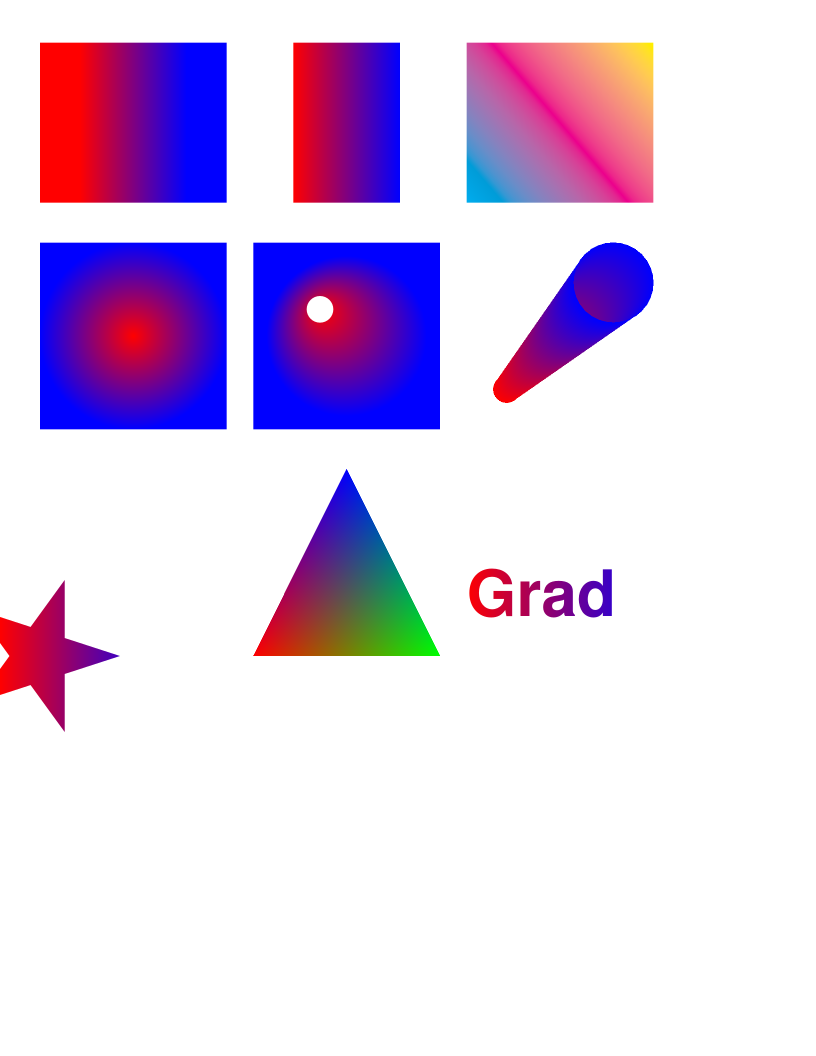
Axial and radial shadings become linearGradient and radialGradient, with only the stops they need. Text and strokes filled with a gradient stay vector too.
Real transparency
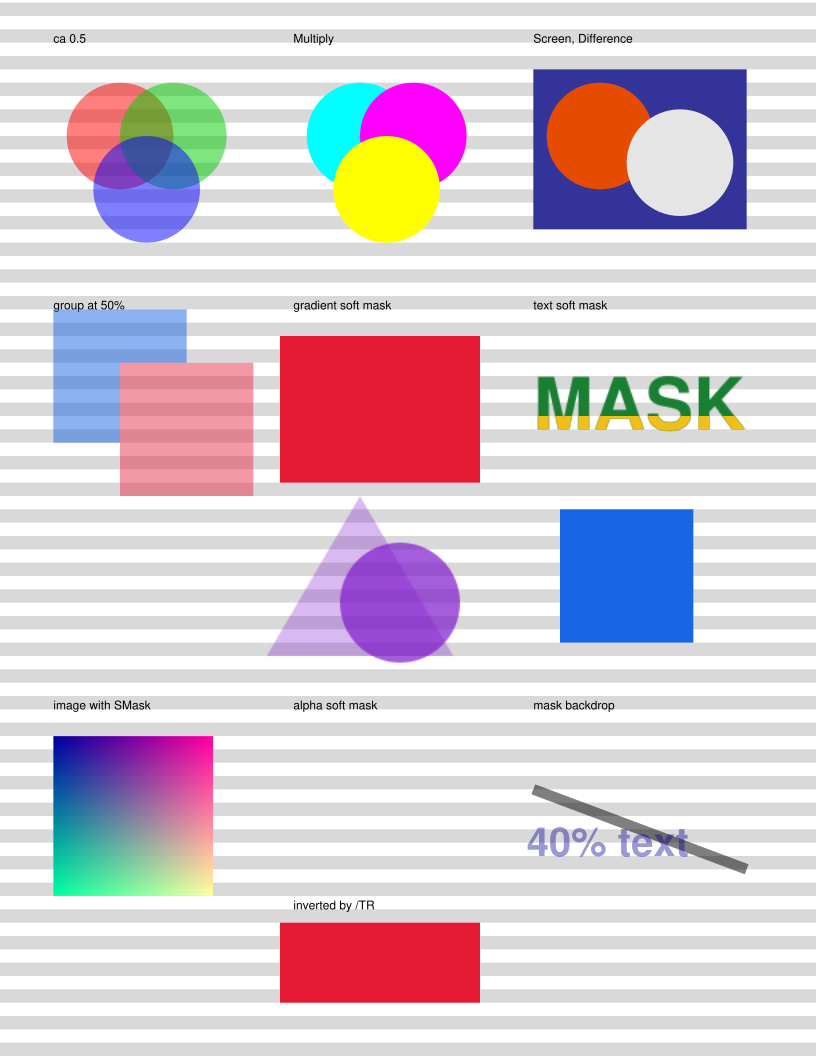
PDF opacity, blend modes, transparency groups and soft masks — luminosity or alpha, with backdrop colours and transfer functions — become SVG opacity, mix-blend-mode, <g> and <mask>.
Never wrong
Mesh shadings, tiling patterns and raster operations have no SVG equivalent. Ghostscript renders those into an embedded image in its proper place in the drawing order, so the page is always complete.
Every image below is the device's own output, made by this site's build script. Open one and zoom in, or select its text.
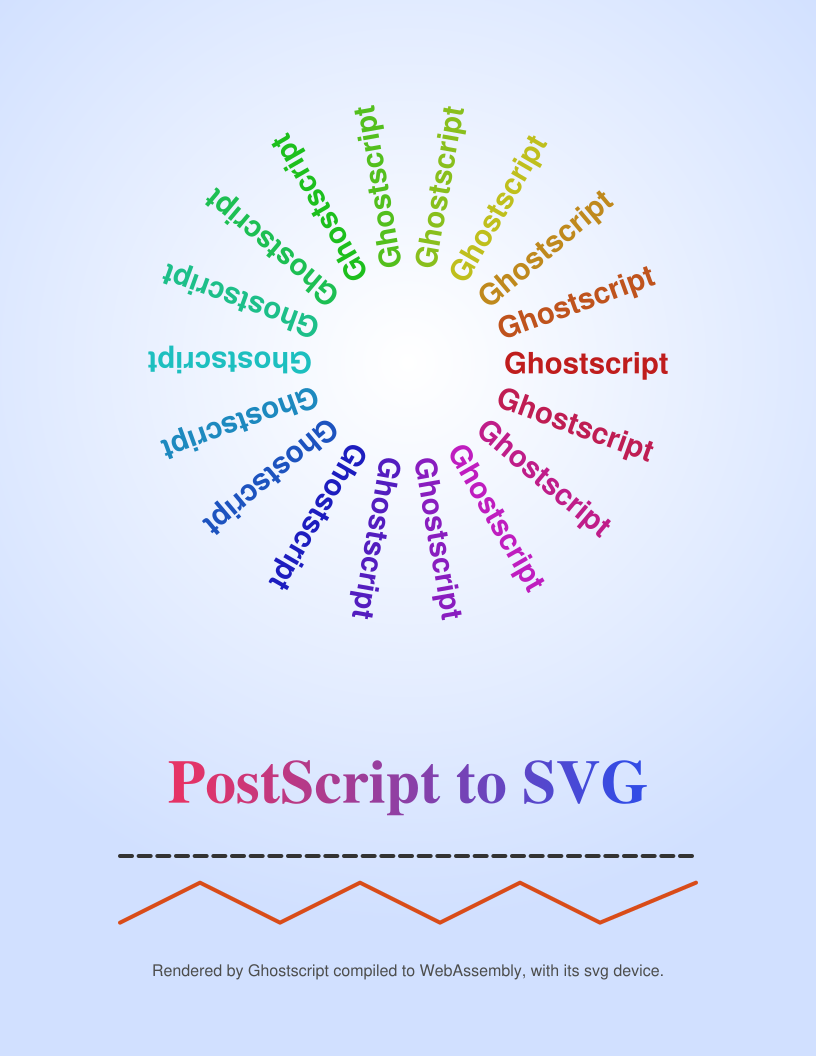
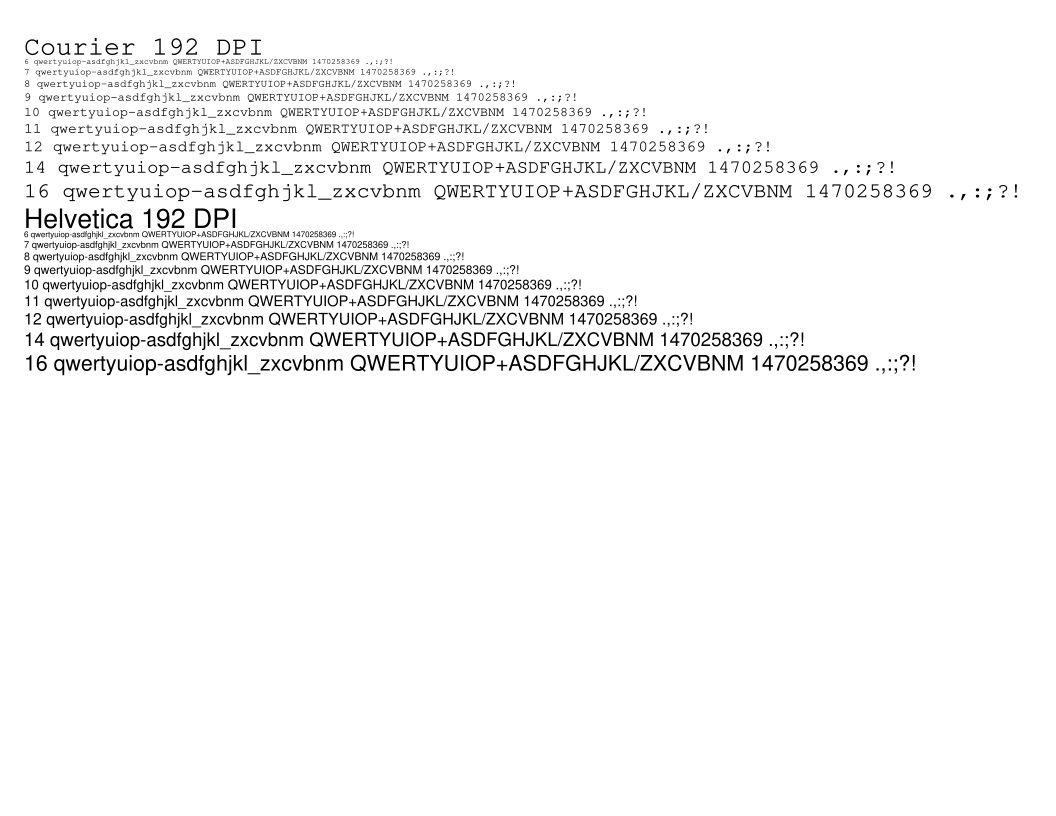
waterfal.ps: 1,352 glyphs drawn from 144 shared outlines, all selectable.How faithful it is
The yardstick is Ghostscript itself. tools/svg-compare.mjs renders each file twice — once with Ghostscript's own PNG device, once as SVG rasterized by resvg — at four times the resolution, scales both down, and counts the pixels that differ noticeably.
| Document | What it exercises | Pixels that differ |
|---|---|---|
| transparency.pdf | Opacity, blend modes, groups, soft masks | 0.01% |
| images.ps | RGB, grey, CMYK, indexed and masked images | 0.04% |
| text_ | TrueType text, a photograph, Lab colour | 0.15% |
| waterfal.ps | Type 1 text at many sizes | 0.20% |
| shadings.ps | Axial, radial and mesh shadings | 0.23% |
| escher.ps | Paths, fills, clipping | 0.29% |
| annots.pdf | Six pages of annotations and text | 0.17–0.71% |
| tiger.eps | Paths and hairline strokes | 1.96% |
What differs is almost all antialiasing at edges. The tiger stands out for an honest reason: PostScript says the thinnest stroke covers at least a whole pixel, so a raster device draws the whiskers bolder than they are, while SVG draws them at their true width.
For robustness, every PostScript, EPS and PDF file in the Ghostscript source tree — 108 of them — goes through the device under AddressSanitizer, with exactly the same outcome as through the PNG device. There are 21 automated tests in all.
Using it
From the command line
dist/gs-cli.mjs behaves like the native gs — your files are mounted, and binary output to standard output is safe — but runs on Node, anywhere:
node dist/gs-cli.mjs -sDEVICE=svg -o page-%d.svg input.pdf
node dist/gs-cli.mjs -dEPSCrop -sDEVICE=svg -o figure.svg figure.eps
node dist/gs-cli.mjs -sDEVICE=png16m -r150 -o page-%d.png input.pdf
cat input.ps | node dist/gs-cli.mjs -q -sDEVICE=pdfwrite -o - - > out.pdf
Every other Ghostscript file-format device is there too: pdfwrite, ps2write, eps2write, txtwrite, docxwrite, PNG, JPEG, TIFF and more.
From JavaScript
The same call works in a browser, a Web Worker or Node. Inputs go in as bytes and every file the run writes comes back:
import { runGhostscript } from './dist/ghostscript.mjs';

const { exitCode, files } = await runGhostscript(
  ['-sDEVICE=svg', '-o', 'page-%d.svg', 'in.pdf'],
  { files: { 'in.pdf': pdfBytes } });

const svg = new TextDecoder().decode(files['page-1.svg']);
Each call runs in a fresh instance, and the WebAssembly is compiled once and reused. Rendering is CPU-bound, so in a page, call it from a Web Worker, as the demo does.
The svg device's options
| Option | Effect |
|---|---|
-o page-%d.svg | One standalone SVG file per page; %d is the page number |
-dSVGTextLayer=false | Leave out the invisible, selectable text layer |
-dSVGReuseGlyphs=false | Write every glyph as its own path instead of <use> |
-dSVGTransparency=false | Let Ghostscript flatten transparency into an image instead |
-r300 | Resolution of anything rasterized as a fallback (default 192 dpi); vector content is unaffected |
The device's full documentation covers what becomes SVG and what is rendered as an image, each option, and how to put the output in a web page.
Native Ghostscript
The svg device isn't tied to the browser. It is ordinary Ghostscript C.
The device is one new source file, written to the same device interface as Ghostscript's PDF writer, with nothing in it specific to WebAssembly. A patch against the Ghostscript 10.08.0 release adds it, its build rules and its documentation, so that the usual build gives you a native gs that writes SVG:
tar xf ghostscript-10.08.0.tar.xz && cd ghostscript-10.08.0
patch -p1 < ghostscript-10.08.0-svg.patch
./configure && make
bin/gs -sDEVICE=svg -o page-%d.svg input.pdf
Part of the standard build
Configure includes the device whenever libpng is available, as it always is, since Ghostscript bundles it. --with-drivers=SVG selects it on its own. It is in the Windows makefile too, though only the Mac and WebAssembly builds have been tested.
Quick, and self-contained
On an Apple-silicon Mac the whole build takes about a minute and a half. The result has all 221 of Ghostscript's devices, needs only the system's own libraries, and converts the tiger in three hundredths of a second.
The same output
The native device and the one in the browser are built from the same source and write the same SVG: converted by either, tiger.eps comes out byte for byte identical.
Documented
The patch adds an “SVG output” section to Ghostscript's guide to its high-level devices, in the format of its own documentation. You can read it here.
On a Mac with Homebrew: if Homebrew's fontconfig is installed, the 10.08.0 build finds the library but compiles its build tools without its headers, and stops. Configure with --disable-fontconfig; Ghostscript's own fonts are built in.
Embedding it
Besides the command line, the module exports Ghostscript's whole C API — gsapi_new_instance, gsapi_set_stdio, gsapi_init_with_args, gsapi_run_string_continue and the rest — with the helpers needed to call it from JavaScript, including addFunction for callbacks. One module can serve any number of documents in sequence, and another module's files can be mounted in with PROXYFS.
A lean build, with just the PostScript and PDF interpreters and no output devices, is meant for this. It is 12.5 MB, or 8.1 MB as the browser downloads it compressed, against 10.7 MB for the full build.
In use: mp-tikz-wasm, which turns LaTeX and TikZ into SVG in the browser, embeds the lean build in its dvisvgm, so PSTricks figures, EPS images, \rotatebox and raw PostScript specials now render. Its golden tests are byte-identical to TeX Live's dvisvgm with a native Ghostscript built from the same source.
Building it
You need an Emscripten SDK (the build here used 6.0.0) and Node 18 or later, on macOS or Linux. build.sh uses emcc from your PATH, or sources the SDK's emsdk_env.sh from EMSDK_ENV.
tar xzf ghostscript-wasm-source.tar.gz && cd ghostscript-wasm
./build.sh                  # the full build → dist/
VARIANT=lean ./build.sh     # interpreters only, for embedding → dist/lean/
npm install && npm test     # 21 tests, including pixel comparisons
npm run demo                # the demo at http://localhost:8080/demo/
A first build takes about two and a half minutes on an Apple-silicon Mac. Most of that is Ghostscript's configure script, which compiles hundreds of small test programs, one at a time. After that, a change to the svg device rebuilds in seconds.
How the port works
The source is Artifex's 10.08.0 release, unmodified apart from the new device, its build rules and documentation, and one two-line makefile fix. The port itself is all in build.sh and the JavaScript wrappers. Ghostscript's build compiles small helper programs and runs them to generate code; when cross-compiling, its configure script builds those with your native compiler instead, and works out the WebAssembly target's type sizes by compiling test programs with emcc. The PostScript initialization files, the ICC profiles and the 35 standard fonts are compiled into the module, so nothing has to be fetched at run time.
Native builds
tools/native-build.sh builds the same source natively. With release, it is Ghostscript's standard build, every device included; by default, a debug build with AddressSanitizer, for working on the device; with lib, an optimized libgs.dylib built without fused multiply-adds, so it does the same arithmetic as the WebAssembly — useful as a reference when testing software that embeds it.
tools/make-patch.sh writes the patch for native Ghostscript, and tools/check-patch.sh proves it: it applies the patch to the untouched release source, builds that as a user would, and converts a file with the device.
Licence & source
Ghostscript is © Artifex Software and is free software under the GNU Affero General Public License, version 3; Artifex also sells commercial licences. Everything here, the svg device included, is under the same licence. The AGPL asks that whoever offers the program also offers its source, so here it is: the complete source of the build on this page — Ghostscript 10.08.0 with the svg device, the build scripts, the JavaScript wrappers, the demo and the tests.