Sooner or later you need a reference you don't yet have: a paper a colleague mentioned, the canonical version of a preprint, or the full bibliographic record behind a bare DOI. Online search lets you query established bibliographic databases from inside Bibliofile and pull results straight into your open library as new entries — no web browser, no copy-and-paste, and no hand-typing of author lists. It is the fourth of the ways to bring references in; the other three (pasting BibTeX, drag-and-drop, and importing from a file) are covered in Importing & Exporting.
This chapter explains what the six built-in sources cover, how to run and read a search, exactly which fields each source captures when you import, what happens to an imported entry afterwards, and how to recover when a search doesn't behave.
Note: Online search adds entries to whichever library you currently have open. It never replaces or merges existing entries, and — like every other edit in the app — nothing is written to disk until you Save. See Saving an imported entry below.
Opening online search#
Online search lives in a modal window you can summon two ways.
- Open a library, or make sure one is already open. (Search has nowhere to import to without an open document, so the menu item is greyed out and the toolbar isn't shown until a library is open.)
- Either click the 🌐 Online… button in the toolbar above the three panes, or choose File → Import → Search Online (CrossRef / arXiv)… (⇧⌘O / Shift+Ctrl+O).
- The Online search window opens on top of your library.
Note: The menu item still names only CrossRef and arXiv. The window itself offers six sources — see below.
To dismiss the window at any time, click the × in its header or click the dimmed area outside it. Closing the window does not discard entries you already imported — those are now part of your library (still unsaved).
The sources#
The source dropdown at the top-left of the search bar chooses where your query is sent. Six sources are built in, listed in the dropdown in this order. Four of them are searches — you type words and get back a ranked list. The last two are lookups — you type one identifier and get back the single work it names, or nothing at all.
| Source | What it covers | What to type | Imported entry type |
|---|---|---|---|
| CrossRef (the default) | Formally published works registered with a DOI: journal articles, conference papers, book chapters, whole books, reports, dissertations, datasets | Free text — title words, author surnames, or a mix | Mapped from the work type |
| OpenAlex | An open catalogue of scholarly works: articles, conference papers, chapters, books, dissertations, reports, datasets, and preprints | Free text | Mapped from the work type |
| PubMed | Biomedical and life-sciences literature, via the NCBI E-utilities | Free text, passed to PubMed's own search verbatim | Always article |
| arXiv | Preprints (and some published versions) in physics, mathematics, computer science, quantitative biology, statistics, economics, and related fields | Free text across all fields | Always article |
| DOI lookup | One exact work, fetched from CrossRef by its DOI | A single DOI | Mapped from the work type (same as CrossRef) |
| ISBN (book) | One exact book, fetched from Open Library by its ISBN | A single ISBN | Always book |
"Mapped from the work type" means the source's own classification of the item is
translated into a BibTeX type — article, inproceedings, incollection,
book, phdthesis, techreport or misc. Anything unrecognised becomes
article.
Tip: If a work exists in more than one place, the sources give you a choice. Take the citable version of record (DOI, volume, pages) from CrossRef, OpenAlex or PubMed; take the eprint id and the abstract from arXiv. There's nothing stopping you importing more than one version and merging them by hand.
Note: Only arXiv and PubMed bring an Abstract with them. CrossRef,
OpenAlex and the two identifier lookups do not — the app writes only what the
source actually returns.
CrossRef in depth#
CrossRef is the DOI registration agency for most of scholarly publishing, so it is the right source for anything that has been formally published. A CrossRef query is sent as a general free-text search, which means you can mix title words and author names in one box and let the service rank the matches.
A DOI typed into the CrossRef box is sent as ordinary free text, and may or may not float the right work to the top. If you already have the DOI — say from a reference list or a publisher's page — switch the source to DOI lookup instead, which asks CrossRef for that one work by identifier. For example:
10.1103/PhysRev.47.777The work's BibTeX entry type is derived from CrossRef's own classification of
the item. A journal article becomes article, a conference paper becomes
inproceedings, a book chapter becomes incollection, books (including
monographs, edited books and reference books) become book, a dissertation
becomes phdthesis, a report becomes techreport, and posted content or
datasets fall back to misc. Anything unrecognised defaults to article.
OpenAlex in depth#
OpenAlex is an open index of scholarly works. Alongside the published
literature it classifies preprints, which the app imports as article; its
entry-type mapping otherwise matches CrossRef's.
The venue it reports is the work's primary source — the journal for an
article, the containing publication otherwise — and it supplies volume, issue
and page numbers when it has them. A work with a first page but no last page
imports with that single page number rather than a range. OpenAlex reports DOIs
as full https://doi.org/… URLs; the app strips the prefix so the Doi field
holds the bare DOI, exactly as CrossRef gives it.
PubMed in depth#
PubMed is queried in two steps: the app first asks for the ids of up to twenty matching records, then fetches those records in full. If the first step matches nothing, the second is skipped and you get an empty list.
Every PubMed result is typed article and carries the journal, volume, issue
and pagination from the Medline record, plus the Pmid. It also captures the
abstract when the record has one — a structured abstract (with BACKGROUND,
METHODS, … sections) is flattened into a single paragraph. A Doi comes
across only when the record happens to carry one; unlike CrossRef, no Url is
written.
Author names are taken as Family, Given, falling back to initials when the
record has no forename; a collective or corporate author is kept whole rather
than being split into a family and given name.
arXiv in depth#
arXiv is the open-access preprint server for the physical and computational
sciences. An arXiv query is a free-text search across all fields, so words from
the title, an author's name, or topic terms all work. Results are preprints, so
every imported arXiv entry is typed as article and carries the arXiv
identifier rather than a journal reference.
Note: arXiv results record the eprint id and Archiveprefix = arXiv,
which is exactly what the common \eprint/\archivePrefix BibTeX/biblatex
machinery expects. They do not carry a journal, volume, or page range,
because a preprint hasn't got one — if the paper was later published, you may
want to add those by hand (or re-import the published record from CrossRef).
The two identifier lookups#
DOI lookup and ISBN (book) behave differently from the four searches: they take one identifier, ask for that one record, and return it or nothing. They never return a list to choose from.
- DOI lookup accepts the DOI in whatever form you have it. A leading
https://doi.org/,http://dx.doi.org/ordoi:is stripped before the request, so pastinghttps://doi.org/10.1103/PhysRev.47.777works as well as the bare10.1103/PhysRev.47.777. The work comes back from CrossRef with exactly the same fields and entry-type mapping as a CrossRef search. A DOI that doesn't resolve reports an HTTP error (typicallyDOI lookup HTTP 404) rather than an empty list. - ISBN (book) strips everything that isn't a digit or an
Xfrom what you type, so hyphens and spaces in an ISBN are harmless. The result is always typedbook, and Open Library's coverage is uneven — an edition it doesn't hold simply returns nothing (no error, just an empty list). If that happens, try the book's other ISBN: the 10- and 13-digit forms, and different printings, may be catalogued as separate records.
The search workflow#
The search bar has three controls, left to right: the source dropdown, the query box, and the Search button.
- Pick a source from the dropdown — CrossRef is selected by default, and the choice sticks until you change it or close the window.
- Type your query into the box labelled "Search title, author, DOI…".
- Run the search. Click Search, or simply press Enter while the cursor is in the query box.
While the request is in flight the button label changes to Searching… and is disabled so you can't fire a second request on top of the first. When the results arrive, the list below the bar is populated; if anything goes wrong, an error message appears there instead (see Troubleshooting).
Note: CrossRef, OpenAlex, PubMed and arXiv each return up to 20 results — the most relevant matches as ranked by the source. If what you want isn't in the list, refine your query (add an author surname, a distinctive title word, or the year) and search again. DOI lookup and ISBN (book) return at most one result, because they're identifier lookups rather than searches. A fresh search replaces the previous results.
Tip: An empty or whitespace-only query does nothing — the app simply ignores it. Type something before pressing Enter or Search.
Reading a result#
Each result is shown as a compact row with two lines of text and an action button:
- Line 1 — the title of the work (or
(untitled)if the source returned none). - Line 2 — the citation line: the authors, the year, and the venue (journal or book title), joined by middle dots ( · ). When the work has a DOI, it is appended to the end of the same line.
So a CrossRef hit might read:
Can Quantum-Mechanical Description of Physical Reality Be Considered Complete?
A. Einstein, B. Podolsky, N. Rosen · 1935 · Physical Review · 10.1103/PhysRev.47.777
Any piece that the source didn't supply is simply left out of the line — a preprint with no venue, for instance, shows just authors and year.
Importing a result#
To bring a result into your library, click its Import button.
When you do, the app:
- Creates a new entry of the appropriate type from the result's fields.
- Generates a cite key automatically (see below) and guarantees it is unique within the library.
- Appends the entry to your library and selects it, so it appears in the detail pane on the right (when the side panel is showing) ready for review.
- Marks the library unsaved — a • appears next to the library's name in the window header, with the tooltip "Unsaved changes — press ⌘S to save".
The button for that result then changes to Imported and is disabled, so you can see at a glance which results you've already taken. You may import as many results from a single search as you like — each becomes its own entry.
Note: Importing also returns the groups sidebar to Library. If you were looking at a single group when you opened the search window, you'll find the whole library selected behind it afterwards — that way the new entry is certain to be visible rather than filtered out by the group you happened to be in.
Note: Importing the same result twice (across two separate searches) is not prevented and will create two entries. See Duplicate awareness below.
Fields captured on import#
Only the fields the source actually provides are written; blank values are dropped. The mapping is deterministic, so you always know what you're getting.
From CrossRef:
| BibTeX field | Source |
|---|---|
Author |
Author list, formatted Family, Given and Family, Given … |
Title |
Work title |
Year |
Publication year |
Journal or Booktitle |
The container title — Journal for an article, Booktitle otherwise |
Volume |
Volume |
Number |
Issue |
Pages |
Page range, normalised to a BibTeX en-dash (120-135 → 120--135) |
Publisher |
Publisher |
Doi |
The DOI |
Url |
https://doi.org/<doi> (only when a DOI is present) |
From DOI lookup: exactly the CrossRef mapping above — the same records, from the same service, fetched by identifier instead of by search.
From OpenAlex:
| BibTeX field | Source |
|---|---|
Author |
Author list in Given Family form, joined with and |
Title |
Work title |
Year |
Publication year |
Journal or Booktitle |
The primary source's name — Journal for an article, Booktitle otherwise |
Volume |
Volume |
Number |
Issue |
Pages |
first--last, or the first page alone when there is no last page |
Doi |
The DOI, with any https://doi.org/ prefix stripped |
Url |
https://doi.org/<doi> (only when a DOI is present) |
From PubMed:
| BibTeX field | Source |
|---|---|
Author |
Author list, formatted Family, Given (initials when there's no forename); a collective author is kept whole |
Title |
Article title (whitespace collapsed) |
Year |
Publication year (taken from the Medline date string when there's no plain year) |
Journal |
Journal title |
Volume |
Volume |
Number |
Issue |
Pages |
Medline pagination, normalised to a BibTeX en-dash |
Pmid |
The PubMed id |
Abstract |
The abstract; a structured abstract is joined into one paragraph |
Doi |
The DOI, if the record carries one |
From arXiv:
| BibTeX field | Source |
|---|---|
Title |
Article title (whitespace collapsed) |
Author |
Author list, joined with and |
Year |
Year from the publication date |
Eprint |
The arXiv identifier, version suffix included (e.g. 2401.01234v1) |
Archiveprefix |
The literal string arXiv |
Abstract |
The arXiv summary (whitespace collapsed) |
Url |
The arXiv abstract-page URL |
Doi |
The DOI, if arXiv lists one for the paper |
From ISBN (book):
| BibTeX field | Source |
|---|---|
Title |
Book title |
Author |
Author list, joined with and |
Year |
The first four-digit year in the publication date |
Publisher |
Publisher(s), comma-joined |
Address |
Place(s) of publication, comma-joined |
Isbn |
The ISBN you searched for, reduced to digits (and X) |
Url |
The link Open Library returns for the book, if any |
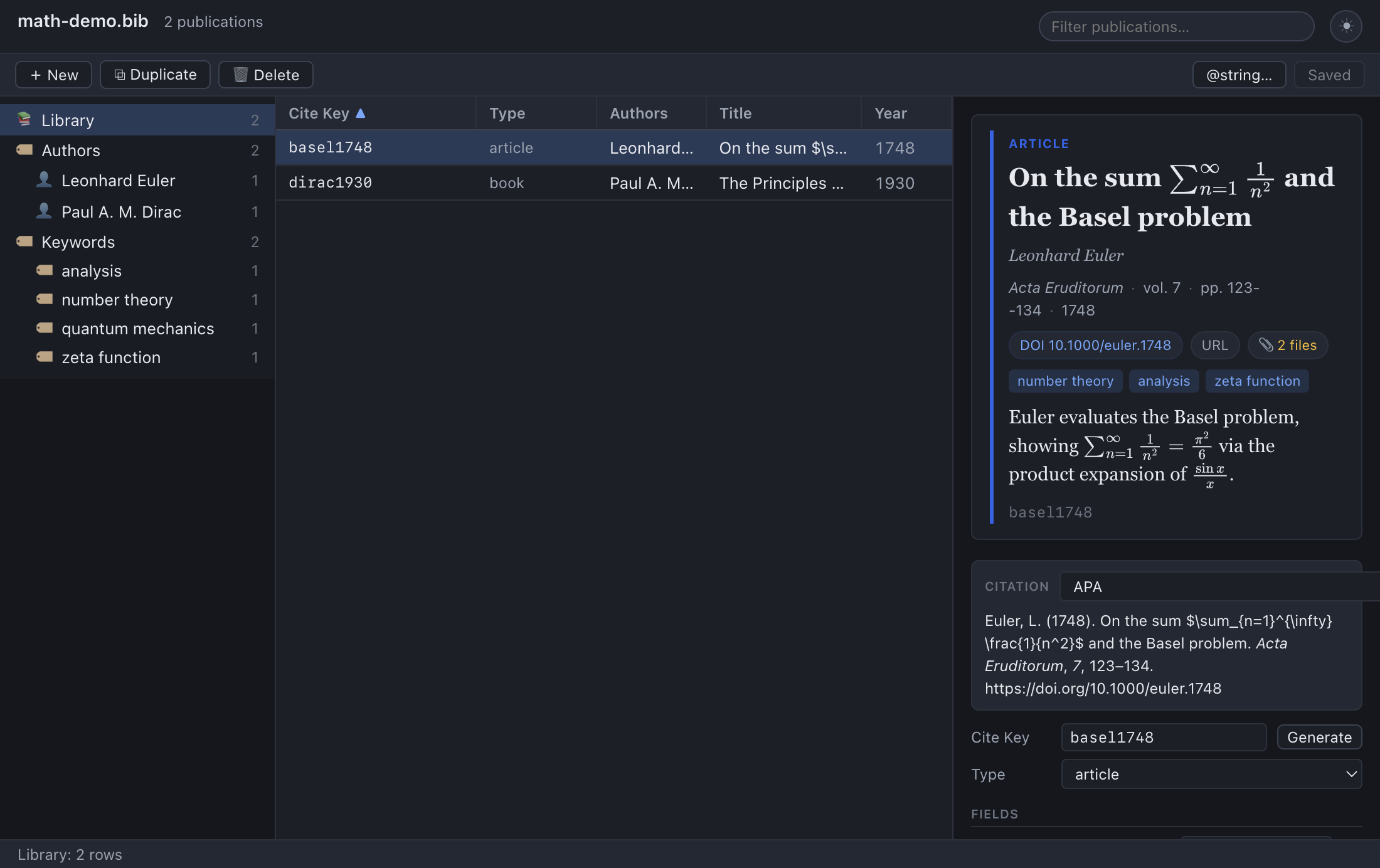
Tip: The imported Abstract from arXiv or PubMed is plain text, but
the detail pane renders abstracts as Markdown — so any $…$ math the abstract
contains will typeset, and you can add Markdown formatting later. See
Notes & Abstracts.
How the cite key is generated#
You don't type a cite key when importing — the app derives one for you using the
same generator as the Generate button in the editor, driven by the same
cite-key format preference (author and year, by factory default). Clashes are
handled by the format's own uniquifier, which appends a character or two to the
key until it is free; only if a key still collided would the app fall back to
appending -1, -2, and so on. Either way, an import can never take a cite key
that another entry already owns. (If no usable key can be generated — for a
result with no author or year, say — the entry keeps a provisional imported
key, or imported-1 if that one is taken. Rename it.)
You can change the cite key afterwards like any other: see Editing Entries → Cite key and type.
Refining an imported entry#
Treat an imported entry as a solid starting point, not a finished record. Online metadata is often imperfect — a title may be in ALL CAPS, an author's given name may be initials only, a venue may be abbreviated, or a field you care about may be missing entirely. Because the entry is selected the moment you import it, the detail pane is right there for cleanup:
- Tidy the fields — fix capitalisation, expand abbreviations, add a missing
PublisherorAddress. - Set the cite key to your preferred convention, or click Generate.
- Change the entry type if the source guessed wrong.
- Add attachments, notes, or keywords as you would for any entry.
All of this is covered in Editing Entries, Attachments, and Notes & Abstracts.
Saving an imported entry#
Imports live in memory until you save, exactly like manual edits. The unsaved-changes dot stays in the header while imports are pending.
- There is no Save button. Press ⌘S (macOS) / Ctrl+S (Windows/Linux), or
choose File → Save, to write the new entries into your
.bibfile. - As with every save, the app first copies the previous version of the file to
<your-file>.bib.bak, then writes atomically. See Editing Entries → What a save does.
Warning: If you import several entries and then quit without saving, those entries are lost — there is no autosave unless you have turned it on in Preferences. Get into the habit of saving after a round of imports.
How it works#
A short explanation that also explains the design's strengths and limits:
- Searches run in the app's main process, not a browser. When you press
Search, the renderer hands the request to the Electron main process, which
makes the HTTP request to the chosen service directly. Running the request
there sidesteps the browser's CORS restrictions, which would otherwise
block a renderer-side
fetchto those services. - The responses are parsed natively. CrossRef, OpenAlex and Open Library return JSON; arXiv returns an Atom XML feed and PubMed returns its own XML. The app parses each into the same normalised result shape before it ever reaches the search window. That's why every source presents and imports identically from your point of view.
- PubMed costs two requests. Its API answers a search with ids only, so the app makes a second call to fetch the records themselves. A PubMed search is therefore a little slower than the others.
- An internet connection is required. There is no offline cache of search results. If the machine is offline, or the service is unreachable, the search fails with an error (handled gracefully — see below).
- The app identifies itself politely. Requests are sent with a descriptive
User-Agent, the courteous convention these public APIs ask for. Note that the Contact email preference is not used here — that address is sent only by Find Open-Access PDFs, which requires it.
Duplicate awareness#
Online search does not check whether a result already exists in your library before importing it. The only de-duplication is the Imported flag, and that lasts only for the current set of results — start a new search and the flags reset. Practical consequences:
- Re-importing the same paper produces a second entry. The two will get different cite keys — the second picks up the uniquifier suffix your cite-key format defines — precisely because the app refuses to reuse a cite key, but they are otherwise duplicates.
- Before importing, it's worth a quick check of your library. Close the search window momentarily, type a title word or the DOI into the main search box, and confirm you don't already have it.
- If you do end up with duplicates, delete the extra with 🗑 Delete (see Editing Entries), or run Publication → Find Duplicates… to catch them in bulk (see Browsing & Searching).
Troubleshooting#
"Enter a query and press Search." never goes away. That placeholder shows whenever there are no results yet and no error. Make sure you actually typed a query (whitespace alone is ignored) and pressed Enter or clicked Search.
The search returns nothing (an empty list). The source ran but matched no works. Broaden or correct the query: check spelling, drop overly specific words, try an author surname plus one title word, or switch sources — a preprint may be on arXiv or OpenAlex but not (yet) in CrossRef, a clinical paper may be findable on PubMed under terms CrossRef ranks poorly, and an old book may be in CrossRef but never on arXiv.
An error message appears below the bar.
This is almost always connectivity. Confirm you're online and try again. A
corporate proxy, firewall, or VPN can block the outbound request even when other
apps seem fine. Transient HTTP errors from the service (a 5xx, or a rate
limit if you search very rapidly) usually clear if you wait a few seconds and
retry.
Rate limits / "slow down". All of these services are free and shared. If you fire many searches in quick succession you may be throttled temporarily. Space your searches out and the limit lifts on its own; there's nothing to configure.
A DOI lookup fails.
Use the DOI lookup source, not a DOI typed into the CrossRef box. A leading
https://doi.org/, dx.doi.org/ or doi: is stripped for you, so either form
is fine — but a publisher page URL is not a DOI and won't work. Check for
stray spaces or a trailing punctuation mark copied along with it; a DOI CrossRef
doesn't know reports DOI lookup HTTP 404.
An ISBN lookup finds nothing.
Hyphens and spaces don't matter (everything but digits and X is stripped), so
the usual cause is that Open Library simply has no record for that edition. Try
the book's other ISBN — the 10- and 13-digit forms, and separate printings, may
be catalogued separately.
I imported, but the entry isn't in my file. Imports are unsaved until you write them. Press ⌘S / Ctrl+S (or choose File → Save). If the header still shows the • beside the library name, the write hasn't happened yet.
A field I expected is empty. The source didn't supply it, and the app only writes fields it receives. Add the missing field by hand in the detail pane — see Editing Entries → Adding a field.
See also#
- Editing Entries — clean up and complete an imported record.
- Browsing & Searching — check for an existing copy before you import.
- Attachments → Finding open-access PDFs — another online lookup: find and attach a legal OA PDF for entries you already have.
- Importing & Exporting — dropping a PDF on the window runs the same DOI and arXiv lookups automatically, and builds the entry around the file.
- Notes & Abstracts — an imported abstract is Markdown-rendered in the preview.
- Shortcuts & Reference — the Save shortcut and the field reference.